API and webservices
Once a model has been developed and validated using the IPL VS Code Plugin, it can be submitted for analysis using Imandra.
You can submit models via the web interface or by using the command line interface described below.
The web interface is available at https://www.imandra.ai/ipl/.
Command Line Interface
You'll need the imandra CLI installed, as per the Imandra CLI installation instructions.
For an IPL file model.ipl, you can submit a file for analysis using:
imandra ipl decompose --file model.ipl --lang iplThis returns a link to your job in the IPL UI so you can view the progress and results of your job.
Optionally, adding a --testgen-lang argument will produce interpretable scripts for onboarding testing:
imandra ipl decompose --file ocx.ipl --testgen-lang imandra-test-scriptThis produces scripts consumable by the imandra onboarding and connectivity tool.
The status of a submitted job can be checked given its job UUID:
imandra ipl status --uuid 44528ecc-13f9-492e-89e6-c751a92ff03fOnce this is complete, data can be downloaded using:
imandra ipl data --uuid 44528ecc-13f9-492e-89e6-c751a92ff03fYou can view a list of your submitted jobs using:
imandra ipl list-jobsOverview
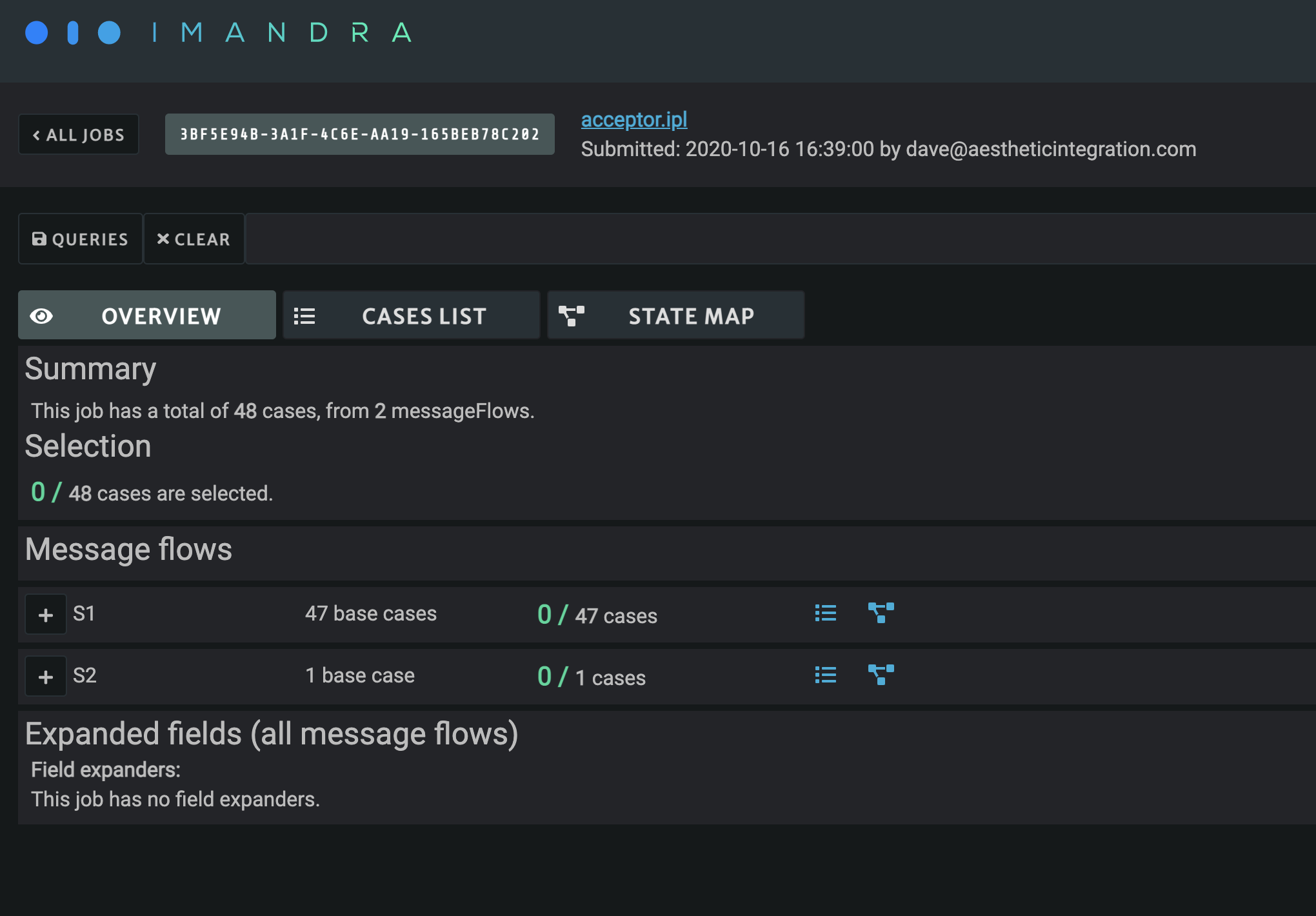
An overview page is available giving a summary of the different message flows specified in the IPL file, as well as the various expanded values for any field expanders.
You can also see a summary of selected cases for each scenario and expander value.
The blue icons allow you to filter the list and state-map views to a particular scenario or expander value using the UI graph query language.
State Map
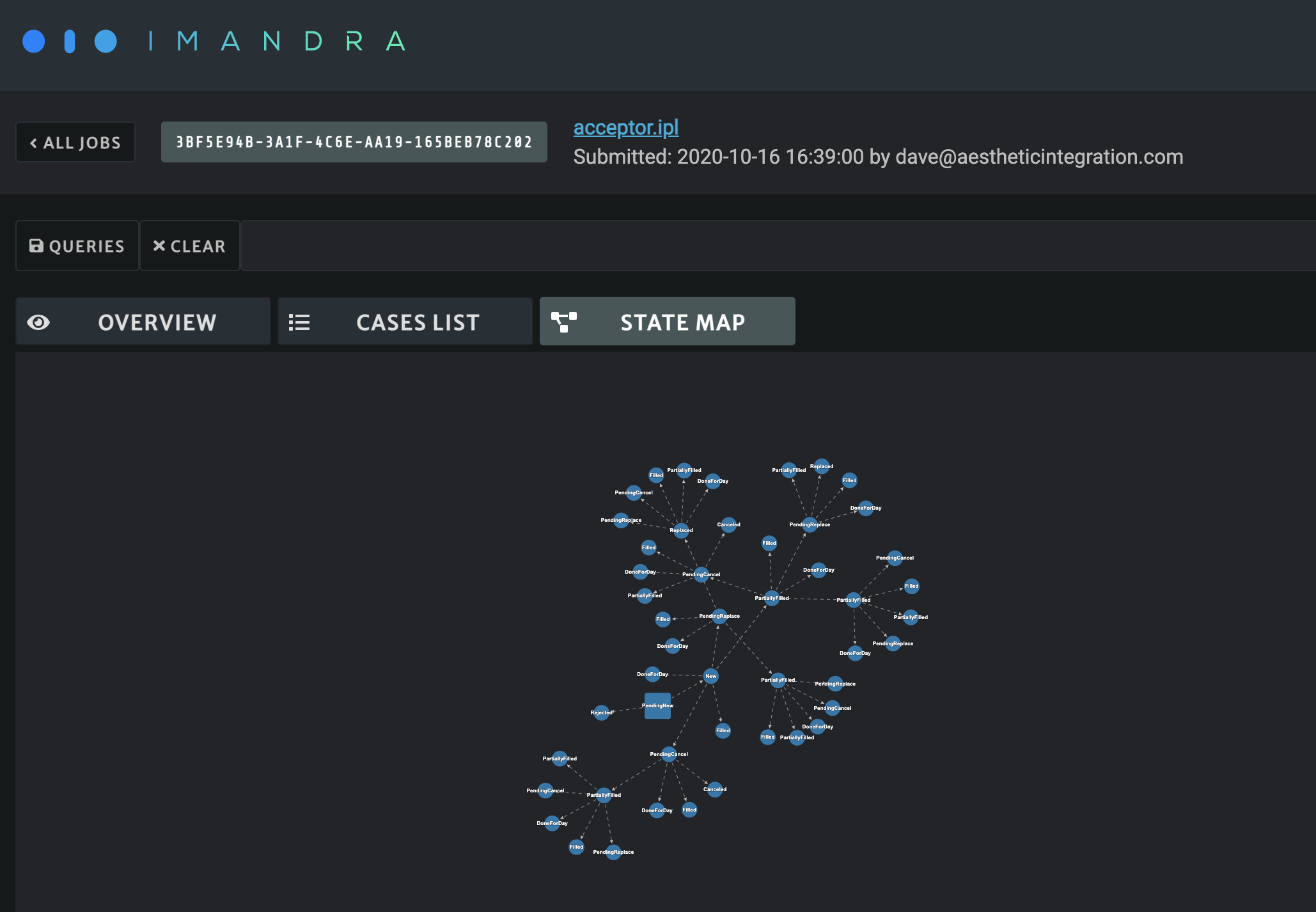
The state map gives a visual representation of the regions produced by Imandra.
- The square node is the root representing the initial state of the venue, where Imandra begins analysis.
- Each edge between two nodes represents an event (a message or action from a message flow template).
- Subsequent nodes represent a state of the venue after the event leading into it.
Each edge and node shown in the state map has been determined as logically consistent with the model defined in the submitted IPL file.
Cases List
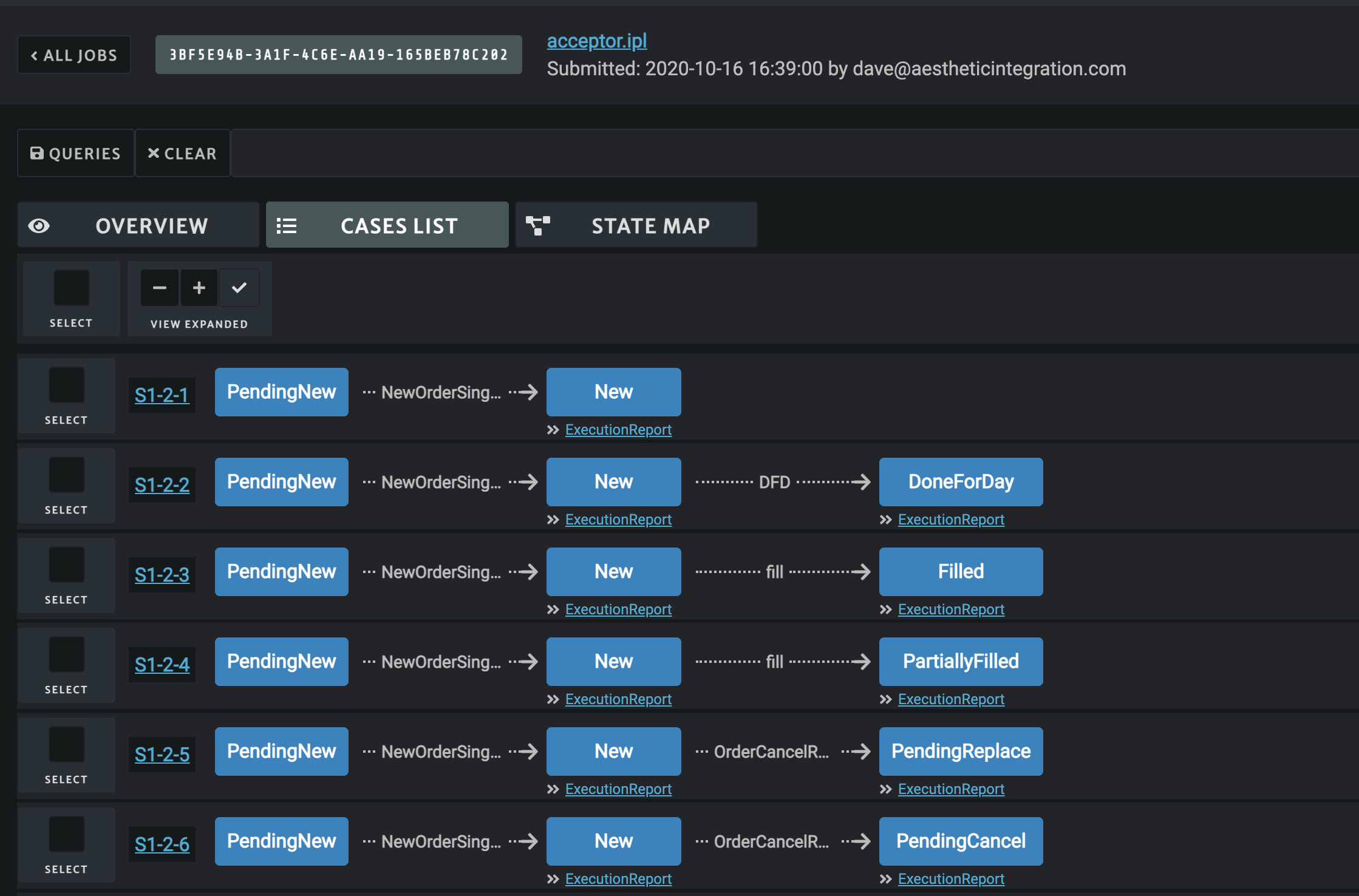
A case in the cases list is produced for each node in the state map. A case is comprised of the sequence of events and states leading up to the node defining that case.
Some nodes and edges may occur in more than one message flow if different message flows have overlapping templates. In this case, the state-map view only contains one node, but the cases list contains multiple cases, one for each message flow that describes the node behavior.
You can click the case name at the start of each case row to show sample points (concrete values satisfying the logical constraints on the events and states in that case path).
If your job specification included code generation, the generated code is also displayed here.
You can also click individual nodes to view symbolic constraints on the messages leading to that node, as well as symbolic values for the state at that node.
Queries
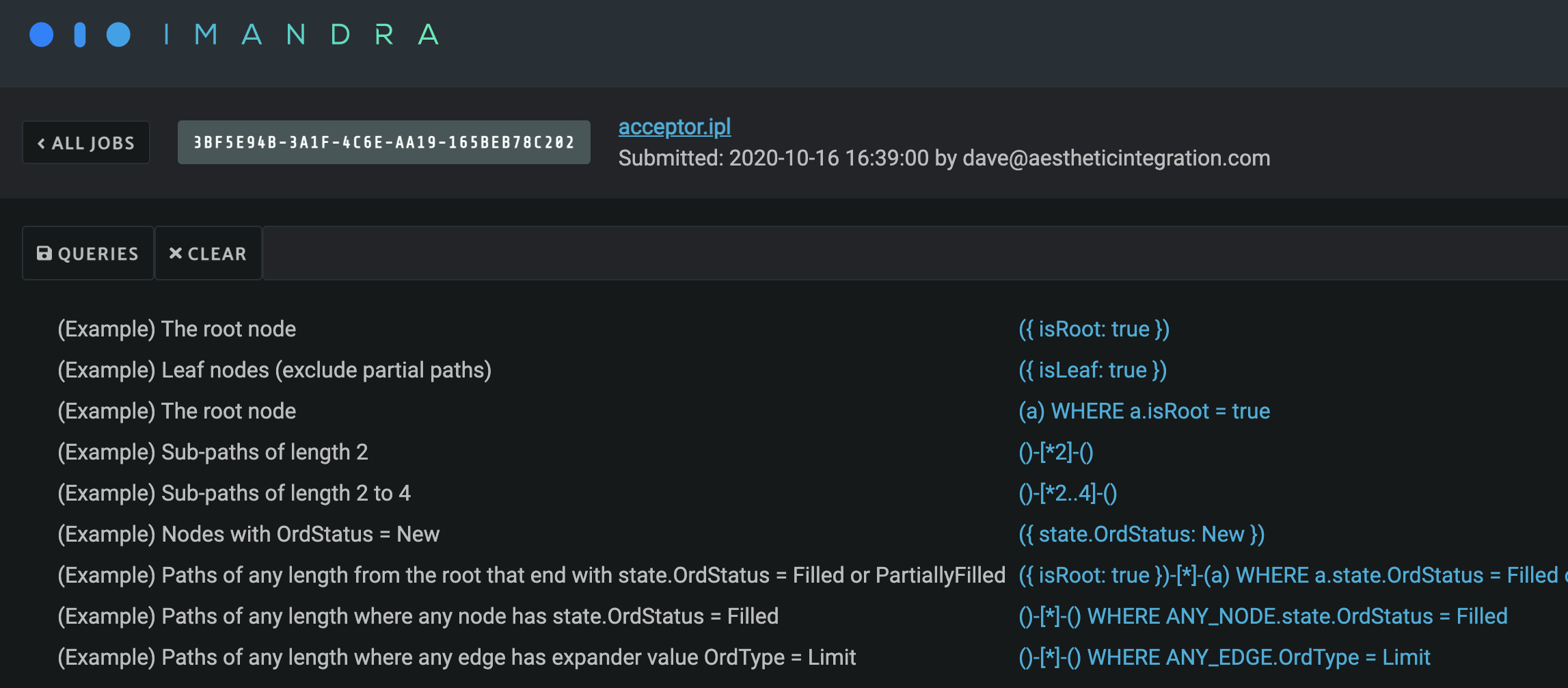
You can run queries against the graph using the queries bar at the top. Example queries are available from the queries button next to the bar.
The query language is loosely based on openCypher, and allows you to pattern-match on paths through the state map. Nodes are specified by () and edges by -[]-. Each path pattern must start and end with a node.
If you're browsing a job you submitted, you can save queries of interest so other users can reuse them easily.